Integrations
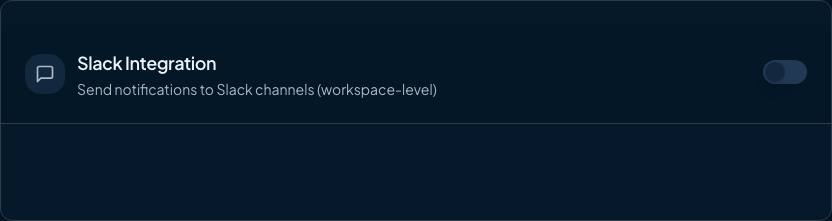
Slack Integration
Configure Slack notifications to keep your team informed about feature flag activity, stale alerts, and cleanup PRs.
4 min readLast updated: September 17, 2026
The Slack integration sends notifications to your team's Slack channels via incoming webhooks. Stay informed about flag detection, stale flag alerts, and automated cleanup PRs without leaving Slack.
The Slack integration requires a Team plan or higher.
Features
| Notification Type | Description | Controlled by |
|---|---|---|
| Flag Detection | When flags are added or removed in PRs | Slack enabled (always on) |
| Stale Flag Alerts | When flags exceed the stale threshold (daily schedule) | Stale Flag Alerts toggle |
| Cleanup PR Created | When FlagShark creates a cleanup PR | Stale Flag Alerts toggle |
Setting Up Slack
Step 1: Create a Slack App
1
Go to api.slack.com/apps
2
Click "Create New App"
3
Choose "From scratch"
4
Name it "FlagShark" and select your workspace
5
Click "Create App"
Step 2: Enable Incoming Webhooks
1
In your Slack app settings, go to "Incoming Webhooks"
2
Toggle "Activate Incoming Webhooks" to On
3
Click "Add New Webhook to Workspace"
4
Select the channel for FlagShark notifications
5
Click "Allow"
6
Copy the webhook URL that appears
Keep your webhook URL secret. Anyone with this URL can post to your Slack channel.
Step 3: Configure in FlagShark
1
Go to Settings → Notifications in FlagShark
2
Find the Slack section
3
Paste your webhook URL
4
Enter the channel name (e.g.,
#flagshark)5
Toggle Stale Flag Alerts on or off as needed
6
Click "Save"
Configuration Options
| Setting | Description | Default |
|---|---|---|
| Enabled | Master toggle for all Slack notifications | Off |
| Webhook URL | Your Slack incoming webhook URL | Required |
| Channel | Target Slack channel (for display only) | #flagshark |
| Stale Flag Alerts | Send alerts when flags become stale, and when cleanup PRs are created | On |
PR flag notifications are always on when Slack is enabled. When FlagShark detects flags added or removed in a pull request, it always posts to Slack; this fires for every PR event regardless of the Stale Flag Alerts setting.