Flag Detection
Which SDK patterns FlagShark recognizes, what each detection captures, and how to debug missing flags.
FlagShark uses structured parsing to find feature flag usage in your code. For tier-1 languages (TypeScript, JavaScript, Go, Python, Java, C#, PHP, and Rust) the engine uses tree-sitter, the same AST parser used by GitHub and modern editors, which means it can tell a real flag check from the same string sitting in a comment or a test fixture. The remaining supported languages (Kotlin, Swift, Ruby, C/C++, Objective-C) use regex-based detection today.
This page is the user-facing reference: which SDKs work out of the box, what gets captured, and how to debug missing flags. For the architecture (PR preview vs. lifecycle tracking, how flags reach your inventory), see How the Engine Works.
Tree-Sitter Parsing
For tier-1 languages, tree-sitter builds a complete syntax tree of your code, which lets FlagShark distinguish real flag usage from things that just look like it:
// ✅ Detected: actual flag usage
const enabled = ldClient.variation('my-flag', user, false);

// ✅ Detected: different SDK patterns
const { myFlag } = useFlags();
if (featureFlags.isEnabled('my-flag')) { }

// ❌ Not detected: just a string (not a flag call)
const flagName = 'my-flag';

// ❌ Not detected: comments
// ldClient.variation('commented-out-flag', user, false);
It's also language-aware:
// TypeScript: handles type annotations
const enabled: boolean = ldClient.variation<boolean>('my-flag', user, false);

// JavaScript: handles both CommonJS and ES modules
const { variation } = require('launchdarkly-node-client-sdk');
import { useLDClient } from '@launchdarkly/react-client-sdk';
Tree-sitter is fast: FlagShark parses thousands of lines of code in milliseconds, so PR checks complete quickly.
What FlagShark Captures
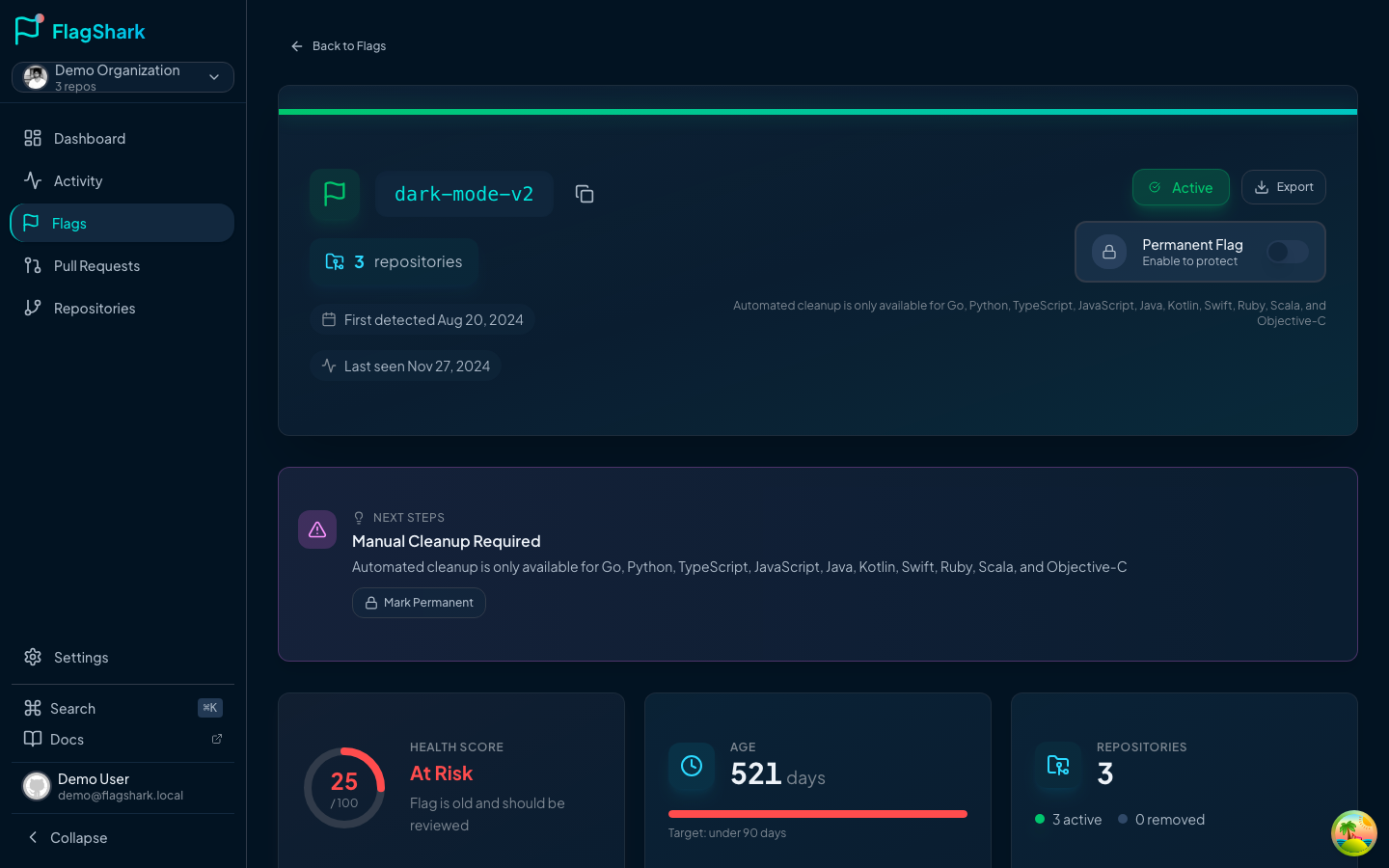
For each detected flag, FlagShark records:
| Field | Description | Example |
|---|---|---|
| Flag key | The string identifier | enable-dark-mode |
| File path | Where the flag is used | src/components/Theme.tsx |
| Line number | Exact location | Line 42 |
| SDK method | How the flag is called | variation |
| Operation | Added, removed, or modified | Added |
| Default value | Fallback when flag unavailable | false |
Detection in Action
Adding a flag
// src/features/checkout/PaymentForm.tsx (line 23)
const useNewPaymentFlow = ldClient.variation('enable-new-payment-flow', user, false);
FlagShark detects:
- Flag:
enable-new-payment-flow - File:
src/features/checkout/PaymentForm.tsx - Line: 23
- Operation: Added
- Default:
false
Removing a flag
- const useNewPaymentFlow = ldClient.variation('enable-new-payment-flow', user, false);
- if (useNewPaymentFlow) {
-   return <NewPaymentForm />;
- }
  return <PaymentForm />;
FlagShark detects the removal and marks the flag as cleaned up in your dashboard.
Modifying flag usage
- const enabled = ldClient.variation('my-flag', user, false);
+ const enabled = ldClient.variation('my-flag', user, true); // Changed default
FlagShark detects the modification and updates the metadata.
Supported SDK Patterns
Out of the box, FlagShark recognizes these patterns. For language coverage, see Supported Languages.
LaunchDarkly
// Client-side
ldClient.variation('flag-key', defaultValue);
ldClient.boolVariation('flag-key', defaultValue);
ldClient.stringVariation('flag-key', defaultValue);

// React
const { flagKey } = useFlags();
const flags = useLDClient();

// Server-side
client.variation('flag-key', context, defaultValue);
Unleash
// JavaScript/TypeScript
unleash.isEnabled('flag-key');
unleash.getVariant('flag-key');

// React
const enabled = useFlag('flag-key');
const variant = useVariant('flag-key');
Split
// JavaScript
client.getTreatment(userKey, 'flag-key');
client.getTreatments(['flag-1', 'flag-2']);
Custom patterns
Configure custom detection patterns in .flagshark.yml:
providers:
  - language: typescript
    name: "Custom Feature Flags"
    importPattern: "my-flags-lib"
    methods:
      - name: "isFeatureEnabled"
        flagKeyIndex: 0
      - name: "getFeatureVariant"
        flagKeyIndex: 0
See Configuration for details.
Detection Accuracy
What gets detected
- Standard SDK method calls
- Aliased imports
- Destructured flag access
- Async flag evaluation
- Flags in any file location (not just specific directories)
What doesn't
- Commented code: flags in comments are ignored
- String literals alone:
'my-flag'as a plain string isn't a flag usage - Dynamic flag keys:
variation(getFlagName(), ...)can't determine the flag name at parse time - Unsupported SDKs: SDKs not in your configuration
Caching and Performance
FlagShark caches parsed results so repeated work is cheap:
- Diff caching: the same diff won't be re-parsed
- Parse tree caching: repeated analysis is instant
- Result caching: flag data is stored efficiently
Typical detection time: < 2 seconds for most PRs.
Debugging Detection
If flags aren't being detected:
See Flag Not Detected for detailed troubleshooting.
Related Documentation
- How the Engine Works: full architecture, including the two-phase detection model
- Supported Languages: all supported languages and SDKs
- Configuration: custom provider setup
- GitHub Comments: how detection results appear in PRs
- Flag Not Detected: troubleshooting detection issues